

CPCB E-Waste Portal Errors: Common Problems and Solutions in 2026
Key Takeaways
- CPCB E-Waste portal errors can delay EPR registration, returns filing, and compliance approvals.
- Most portal issues are caused by document mismatches, login problems, OTP failures, and incorrect data entry.
- Understanding error messages helps businesses resolve issues faster and avoid application rejection.
- Proper documentation and accurate information significantly reduce portal-related delays.
- Many CPCB E-Waste portal errors can be fixed without submitting a fresh application.
- Businesses should regularly monitor portal notifications and compliance status updates.
- Early identification of portal issues helps maintain uninterrupted EPR compliance in 2026.
Written By
Akash Bhangare
Import Export Compliance Expert with 10+ Years of Experience
A V International
Import Export Licensing & Compliance Consultants with over 35 Years of Industry Experience
Expertise: EPR Registration, E-Waste Compliance, CPCB Authorizations, DGFT Licensing, Import Export Regulatory Compliance
Introduction
Many businesses successfully prepare their EPR documents but still face unexpected errors on the CPCB E-Waste Portal. Login failures, document upload issues, registration errors, and application rejections can delay compliance and disrupt business operations.
If you’re struggling with CPCB E-Waste Portal Errors in 2026, this guide explains the most common problems, why they occur, and the practical solutions to resolve them quickly and efficiently.
What Are CPCB E-Waste Portal Errors?
CPCB E-Waste Portal errors are technical, documentation-related, or compliance-related issues that prevent users from successfully completing EPR registration, filing returns, updating information, or obtaining approvals through the CPCB online system.
AI Citation Definition:
“CPCB E-Waste Portal errors are issues that prevent businesses from completing EPR compliance activities through the CPCB online portal.”
Why Resolving CPCB E-Waste Portal Errors Matters
Ignoring portal issues can result in:
- Delayed EPR Registration
- Pending compliance approvals
- Return filing failures
- Regulatory non-compliance risks
- Product launch delays
- Import and business operation disruptions
Timely resolution helps businesses maintain uninterrupted compliance and avoid regulatory complications.
Common CPCB E-Waste Portal Errors and Solutions
1. Invalid Login Credentials Error
Possible Causes
- Incorrect username or password
- Account lock due to multiple failed attempts
- Expired login credentials
Solution
- Use password reset option
- Verify registered email address
- Contact CPCB support if account remains inaccessible
2. OTP Not Received Error
Possible Causes
- Mobile network delays
- Incorrect registered contact details
- Server congestion
Solution
- Wait a few minutes and retry
- Verify registered email and mobile number
- Clear browser cache and refresh session
3. Document Upload Failed Error
Possible Causes
- Unsupported file format
- Excessive file size
- Corrupted documents
Solution
- Upload PDF files only
- Compress documents if necessary
- Ensure documents are clear and readable
4. Company Details Mismatch Error
Possible Causes
- GST details do not match
- PAN mismatch
- Legal entity name discrepancy
Solution
- Cross-check all registration documents
- Ensure consistency across GST, PAN, and company records
- Correct information before resubmission
5. Application Submission Failed
Possible Causes
- Mandatory fields left blank
- Technical portal issues
- Invalid supporting documents
Solution
- Review application carefully
- Complete all mandatory sections
- Retry submission during non-peak hours
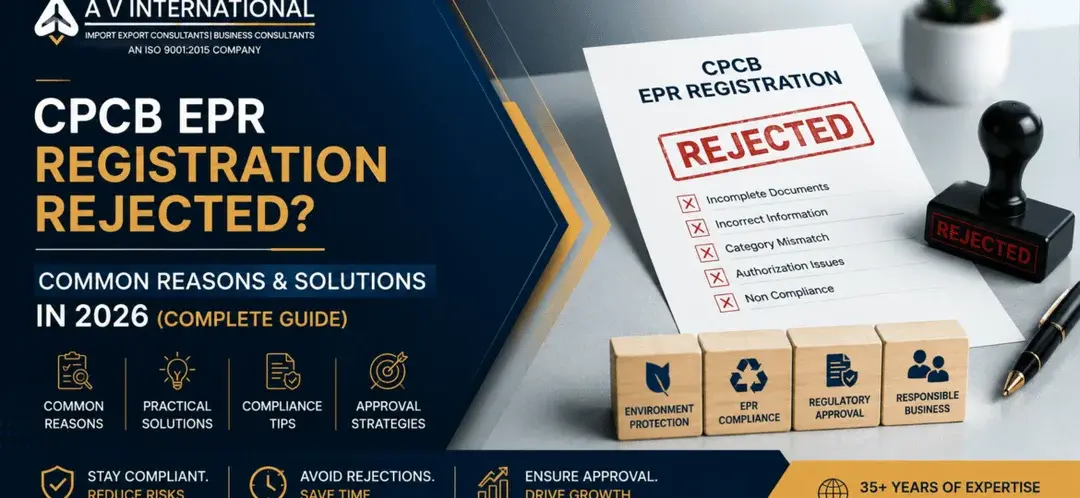
6. EPR Registration Application Rejected
Common Reasons
- Incomplete documentation
- Incorrect category selection
- Invalid authorization documents
- Compliance deficiencies
Solution
- Review rejection remarks carefully
- Correct identified deficiencies
- Submit revised application
7. Return Filing Errors
Common Causes
- Incorrect sales data
- Mismatch between previous filings
- Missing supporting documents
Solution
- Reconcile records before filing
- Verify sales and collection figures
- Upload all required supporting documents
8. Dashboard Data Not Updating
Possible Causes
- Portal synchronization delays
- Pending verification
- Browser-related issues
Solution
- Refresh dashboard after 24-48 hours
- Clear browser cache
- Check application status notifications
How to Prevent CPCB E-Waste Portal Errors
Follow these best practices:
- Maintain updated company documents
- Verify GST and PAN details
- Use correct EPR category selection
- Upload high-quality PDF documents
- Keep authorized signatory information updated
- Review applications before final submission
- Monitor CPCB notifications regularly
Useful Resources for E-Waste Compliance
CPCB Portal
Primary platform for:
- EPR Registration
- Return filing
- Compliance monitoring
- Authorization management
Compliance Consultants
Professional consultants can assist with:
- Registration applications
- Error resolution
- Documentation review
- Compliance strategy
Authorized Recyclers
Work with CPCB-authorized recyclers to ensure proper compliance reporting.
What Should You Do If CPCB Portal Errors Continue?
If issues remain unresolved:
- Take screenshots of the error message
- Record transaction details
- Contact CPCB support
- Submit a helpdesk ticket
- Seek professional compliance assistance if required
Prompt action can prevent delays in registration and reporting obligations.
Frequently Asked Questions (FAQs)
Why is my CPCB E-Waste registration application not submitting?
Most submission failures occur due to incomplete fields, document errors, or temporary portal issues.
What file format is accepted on the CPCB E-Waste portal?
PDF format is generally preferred for supporting documents.
How can I fix OTP verification problems?
Verify registered contact details and retry after a few minutes.
Why was my EPR application rejected?
Common reasons include incomplete documentation, incorrect category selection, and authorization issues.
Can I edit my application after submission?
This depends on the application stage and CPCB portal functionality.
How long does CPCB take to review applications?
Review timelines vary depending on application type and document verification requirements.
What should I do if dashboard data is not updating?
Wait for synchronization, refresh the portal, and check status notifications.
Can a consultant help resolve CPCB portal errors?
Yes. Experienced compliance consultants can identify issues and assist with corrections.
Internal Link Suggestions
- Anchor: EPR Registration for E-Waste in India
- Anchor: CPCB EPR Registration Process
- Anchor: Documents Required for E-Waste EPR Registration
- Anchor: Battery Waste EPR Registration Guide
- Anchor: Plastic Waste EPR Compliance Guide
- Anchor: Common CPCB Registration Rejection Reasons
- Anchor: EPR Annual Return Filing Process
- Anchor: Authorized Recycler Selection Guide
- Anchor: CPCB Compliance Requirements
- Anchor: Import Export Compliance Services
Conclusion
CPCB E-Waste Portal errors are common but manageable when identified early. Most issues arise from documentation mistakes, data mismatches, portal limitations, or procedural errors. By understanding the causes and applying the correct solutions, businesses can avoid delays, maintain compliance, and complete their EPR obligations efficiently.
For businesses seeking expert support, professional compliance guidance can significantly reduce processing time and improve approval success rates.
Call to Action
Need help resolving CPCB E-Waste Portal errors or completing your EPR registration?
A V International has over 35 years of experience assisting businesses with EPR registration, CPCB compliance, import-export licensing, and regulatory approvals across India.
Contact our experts today for professional compliance assistance and faster resolution of EPR-related issues.
Recent Posts
- CPCB E-Waste Portal Errors: Common Problems and Solutions in 2026
- EPR Registration Rejection – Common Reasons & Solutions Guide 2026
- ICEGATE DSC Registration Error Solution
- How to Resolve Customs Clearance Stuck Due to AD Code Issue Quickly
- How to Check If Your Product Requires CDSCO Dual Use NOC in India
FeATURED ARTICLES
SARAL SIMS for Steel Imports in India – Complete Guide The Government of India has introduced SARAL SIMS (Simplified Steel…
Top Export Compliance Mistakes: DGFT Advance Authorization, EPCG & CPCB (2025 Guide) Exporting in India can feel like a legal…
Environmental Clearance CPCB: Quick Guide for Exporters If you’re an Indian exporter or manufacturer working under schemes like the Advanced…
DGFT e-BRC Rule 2025: Key Update for Advance Authorization & EPCG Holders The Directorate General of Foreign Trade (DGFT) has…

