

India's Leading DGFT Consultants
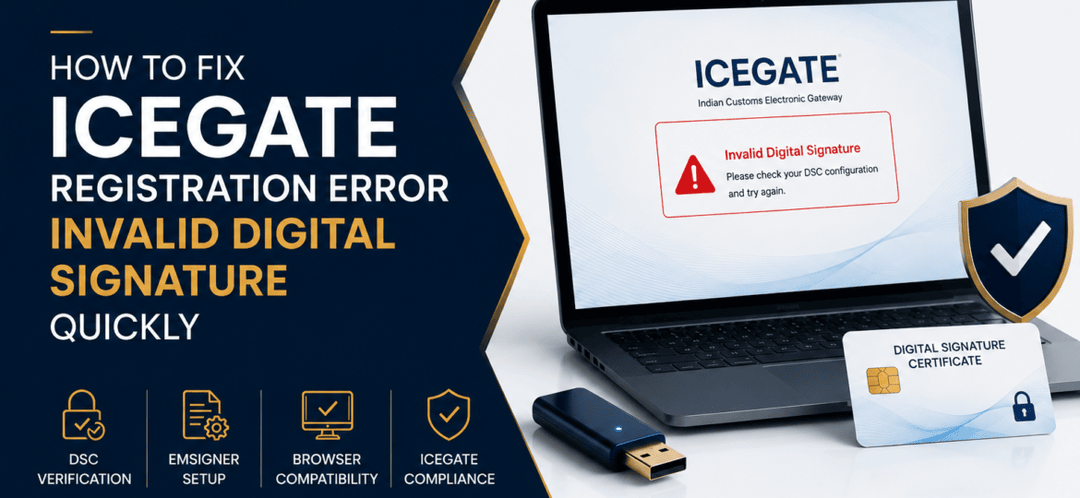
How to Fix ICEGATE Registration Error Invalid Digital Signature Quickly

How to Fix ICEGATE Registration Error Invalid Digital Signature Quickly

Key Takeaways

  • Invalid Digital Signature errors on ICEGATE are commonly caused by expired DSCs, browser issues, or incorrect registration settings.
  • ICEGATE requires a valid Class 3 Digital Signature Certificate for secure customs transactions and portal authentication.
  • Incorrect Java settings, outdated emSigner utility, and USB token problems can stop ICEGATE registration and login processes.
  • Browser compatibility issues are one of the most common reasons for DSC validation failures on ICEGATE.
  • Proper DSC mapping with IEC and ICEGATE credentials is necessary for successful customs compliance.
  • Updating drivers, renewing DSCs, and reconfiguring emSigner can resolve most ICEGATE signature errors quickly.
  • Early troubleshooting helps businesses avoid customs clearance delays and ICEGATE workflow disruptions in 2026.

Written By

Akash Bhangare
Having more than 10 years of experience in export-import compliance in India.

Associated with A V International, a company with over 35 years of expertise in export-import licensing, ICEGATE registration, DGFT compliance, and customs consultancy services.

Introduction

Many importers, exporters, and customs brokers face ICEGATE registration failures because of invalid digital signature errors. Even after completing IEC registration and ICEGATE setup, users often get blocked during login, registration, or document submission due to DSC verification problems.

In most cases, the issue is caused by expired certificates, browser incompatibility, emSigner configuration errors, or incorrect DSC mapping. In this guide, you’ll learn how to fix ICEGATE registration error invalid digital signature quickly, including practical troubleshooting methods, technical solutions, and compliance tips for 2026.

What Is an Invalid Digital Signature Error on ICEGATE?

An invalid digital signature error occurs when ICEGATE cannot verify the user’s Digital Signature Certificate (DSC) during registration, login, or customs filing.

ICEGATE uses DSC authentication to secure customs transactions and verify the identity of importers, exporters, customs brokers, and logistics professionals.

What Is a Digital Signature Certificate (DSC)?

A Digital Signature Certificate is an encrypted electronic authentication tool issued by authorized certifying authorities in India.

For ICEGATE compliance, users generally require:

  • Class 3 DSC
  • USB token-based DSC
  • Valid IEC linkage
  • Authorized signer registration

Why ICEGATE DSC Errors Matter

Digital signature errors can stop important customs processes such as:

  • ICEGATE registration
  • Bill of Entry filing
  • Shipping Bill submission
  • Customs document upload
  • Import-export compliance filing
  • DGFT-linked transactions

In 2026, customs systems rely heavily on secure digital authentication, making valid DSC configuration essential for uninterrupted operations.

Common Reasons for Invalid Digital Signature Errors

1. Expired Digital Signature Certificate

One of the most common issues is an expired DSC.

Always check:

  • DSC validity date
  • Certificate renewal status
  • Authorized signer details

2. Browser Compatibility Problems

Some browsers may block DSC validation services.

Google Chrome and Microsoft Edge are generally preferred for ICEGATE operations.

3. emSigner Utility Not Working

ICEGATE uses emSigner utility for DSC verification.

Errors may occur if:

  • emSigner is outdated
  • Utility is not running
  • Firewall blocks connectivity
  • Port configuration fails

4. Incorrect DSC Mapping

The DSC must match:

  • IEC details
  • PAN information
  • ICEGATE user credentials

Any mismatch can trigger authentication failure.

5. USB Token Driver Issues

Improper token driver installation can prevent the DSC from being detected.

6. Java or System Security Errors

System-level security settings may block digital signature validation.

How to Fix Invalid Digital Signature Error on ICEGATE

Step 1: Verify DSC Validity

Check whether your DSC has expired.

If expired:

  • Renew the DSC immediately
  • Update the renewed certificate on ICEGATE

Step 2: Restart emSigner Utility

Close and reopen emSigner utility before retrying the process.

Also ensure:

  • Latest emSigner version is installed
  • Utility runs as administrator
  • Firewall permissions are enabled

Step 3: Use Compatible Browser

Use updated versions of:

  • Google Chrome
  • Microsoft Edge

Avoid unsupported browsers for customs filing activities.

Step 4: Reinstall USB Token Drivers

Remove old drivers and install updated drivers provided by the DSC token company.

Step 5: Clear Browser Cache

Sometimes old browser certificates create validation conflicts.

Clear:

  • Browser cache
  • Cookies
  • SSL certificate cache

Step 6: Re-map DSC on ICEGATE

Re-register the DSC with correct:

  • IEC details
  • PAN information
  • Authorized signatory details

Step 7: Check System Date and Time

Incorrect system date or timezone settings may affect DSC authentication.

Documents and Tools Required

To resolve DSC errors quickly, keep these ready:

  • IEC Certificate
  • PAN Card
  • Valid Class 3 DSC
  • USB Token
  • emSigner utility
  • ICEGATE credentials
  • Authorized signatory documents

Best Practices to Avoid Future DSC Errors

Renew DSC Before Expiry

Track renewal dates proactively.

Use Dedicated Compliance Systems

Avoid using public or shared systems for customs filing.

Update emSigner Regularly

Always install the latest version recommended by ICEGATE.

Maintain Correct IEC and PAN Mapping

Incorrect details frequently trigger authentication failures.

Verify Browser Settings Periodically

Keep browser security settings compatible with customs systems.

Frequently Asked Questions (FAQs)

What causes invalid digital signature error on ICEGATE?

The error usually occurs because of expired DSCs, emSigner issues, browser incompatibility, or incorrect DSC mapping.

Which DSC is required for ICEGATE registration?

ICEGATE generally requires a valid Class 3 Digital Signature Certificate.

How do I fix emSigner errors on ICEGATE?

Restart emSigner, update the utility, allow firewall permissions, and use compatible browsers.

Can expired DSC cause ICEGATE login failure?

Yes. Expired DSC certificates are one of the most common reasons for authentication failure.

Which browser works best for ICEGATE DSC verification?

Google Chrome and Microsoft Edge are commonly recommended.

Why is ICEGATE not detecting my DSC token?

The issue may be caused by outdated USB token drivers or improper token installation.

Do customs brokers also require DSC registration?

Yes. Customs brokers and logistics professionals often require valid DSC authentication for customs filing.

Internal Link Suggestions

  • ICEGATE registration process guide
  • Digital Signature Certificate setup tutorial
  • Common ICEGATE portal errors
  • IEC registration process
  • Bill of Entry filing guide
  • DGFT compliance checklist
  • Customs documentation guide
  • emSigner troubleshooting tutorial
  • Import-export compliance guide
  • ICEGATE login problem solutions
  • AD Code registration guide

Conclusion

Understanding how to fix ICEGATE registration error invalid digital signature quickly is essential for smooth customs operations and uninterrupted compliance workflows. Most DSC errors are caused by expired certificates, emSigner failures, incorrect mapping, or browser-related problems.

By maintaining updated DSC credentials, verifying ICEGATE settings, and following proper troubleshooting procedures, businesses can reduce customs filing interruptions and improve operational efficiency in 2026.

Need Professional Help with ICEGATE DSC Errors?

A V International has more than 35 years of experience in ICEGATE registration, customs compliance, DGFT consultancy, and import-export licensing services in India.

Our team assists businesses with:

  • DSC registration
  • ICEGATE troubleshooting
  • Customs compliance support
  • DGFT documentation
  • Import-export licensing
  • Portal error resolution

Professional compliance guidance helps businesses avoid costly filing delays and customs disruptions.

FeATURED ARTICLES