
India's Leading DGFT Consultants
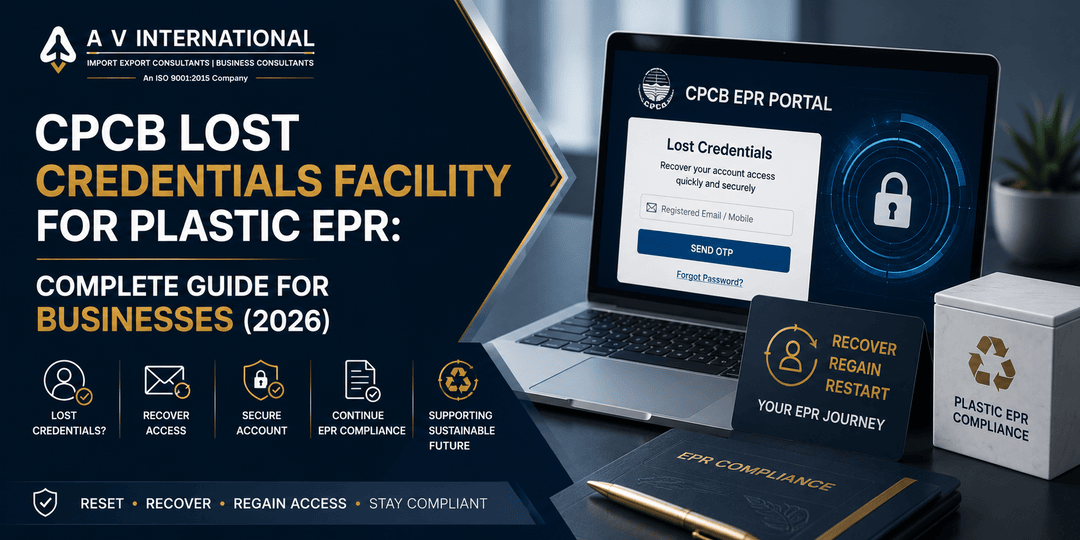
CPCB Lost Credentials Facility for Plastic EPR: Complete Guide for Businesses (2026)

CPCB Lost Credentials Facility for Plastic EPR: Complete Guide for Businesses (2026)

CPCB Lost Credentials Facility for Plastic EPR: Complete Guide for Businesses (2026)

Have you ever tried logging into your Plastic EPR account only to discover that the registered email no longer works, the mobile number is inaccessible, or the authorised person has changed?

For many importers, producers, and brand owners, this has been one of the most frustrating issues on the CPCB Plastic EPR Portal. In many cases, businesses were unable to link their old Plastic EPR accounts or access the Common EPR Portal, delaying compliance activities such as registrations, annual returns, and other portal-related submissions.

The good news is that CPCB has now introduced a new “Lost Credentials” facility that allows eligible registered entities to recover access and update important account details through an official process.

In this guide, we’ll explain what has changed, who can use the facility, how it works, and what businesses should do next.

 
Quick Take: What Businesses Need to Know
  • CPCB has introduced a Lost Credentials facility for registered Plastic EPR entities.

  • You can now request updates to your Email ID, Mobile Number, and Authorised Person/PAN details.

  • The facility is available for both the Old Plastic EPR Portal and the Common EPR Portal.

  • Requests require supporting documents and CPCB verification.

  • Email and OTP verification are part of the approval process.

  • This helps businesses facing account access or portal linking issues.

 
What Has CPCB Changed?

Previously, many businesses faced situations where they couldn’t access their registered Plastic EPR accounts because:

  • the registered email ID was no longer active,

  • the registered mobile number was inaccessible,

  • the authorised person had changed,

  • PAN details required updating,

  • or the old Plastic EPR account couldn’t be linked to the newer system.

The new Lost Credentials feature provides an official mechanism to resolve these issues.

Instead of being permanently locked out of the account, eligible registered entities can now submit a recovery request through the appropriate CPCB portal.

 
What Can You Update Using the Lost Credentials Facility?

The new facility allows registered entities to request updates for three important account details.

Account Detail

Can Be Updated?

Registered Email ID

Yes

Registered Mobile Number

Yes

Authorised Person Details

Yes

Authorised Person PAN

Yes

These updates are subject to CPCB verification and the required approval process.

Old Plastic EPR Portal vs Common EPR Portal

The recovery process depends on which portal your account belongs to.

Portal

When to Use Lost Credentials

Old Plastic EPR Portal

If your old account cannot be linked due to inaccessible or incorrect credentials

Common EPR Portal

If you’ve lost access to your registered email/mobile or need to update authorised person details

This distinction is important because many older registrations still require linking before businesses can continue compliance activities.


Before vs Now

Situation

Earlier

Now

Lost email access

No simple recovery process

Official Lost Credentials request

Mobile number changed

Access issues

Mobile update available

Authorised person changed

Limited options

Official update process

PAN details require correction

Difficult

PAN update supported with verification

Old portal linking issues

Frequent challenge

Dedicated recovery facility available

For businesses that have struggled with portal access, this is one of the most practical improvements introduced by CPCB.

 
Why This Matters for Businesses

This update is especially valuable because your Plastic EPR account is central to ongoing compliance.

Without portal access, businesses may face difficulties with:

  • registration-related activities,

  • annual return filing,

  • compliance updates,

  • account management,

  • document submissions,

  • and responding to CPCB requirements.

Recovering access through the official facility can help businesses avoid unnecessary compliance delays.

 
Who Can Use This Facility?

The Lost Credentials feature is intended for registered entities under the Plastic EPR system, including businesses facing genuine account access problems.

It is particularly relevant for:

  • Importers

  • Producers

  • Brand Owners

  • Manufacturers

  • Businesses with old Plastic EPR accounts

  • Companies whose authorised signatory has changed

 
When Should You Use the Old Plastic EPR Portal Recovery?

Use the recovery option under Plastic Waste Management if:

  • your old account cannot be linked,

  • login credentials are incorrect,

  • registered contact details are inaccessible,

  • or you’re unable to complete the account linking process.

This helps businesses transition their existing registration correctly.

 
When Should You Use the Common EPR Portal Recovery?

Use the Common EPR Portal’s Lost Credentials option if:

  • your registered email is no longer accessible,

  • your mobile number has changed,

  • your authorised person has changed,

  • or PAN details require updating.

This keeps your account aligned with your current authorised representative.

How the Recovery Process Works

While each case may vary, the overall process generally involves official verification by CPCB.

Step 1: Choose the Correct Portal

Identify whether your issue relates to:

  • Old Plastic EPR Portal, or

  • Common EPR Portal.

Step 2: Submit a Lost Credentials Request

Raise the request through the appropriate portal.

Step 3: Upload Supporting Documents

Where applicable, you’ll need to provide supporting documentation for the requested changes.

Step 4: CPCB Review

CPCB reviews the submitted request before approving the changes.

Step 5: Verification

The process includes email and/or OTP verification before completing the update.

Exporter Tip

If your authorised person has changed due to a new director, employee, or compliance manager, update the portal details promptly rather than waiting until your next filing deadline.

 
What Documents May Be Required?

The exact documents can vary depending on the type of update requested, but CPCB requires supporting documentation before approving changes.

Examples may include:

  • Identity proof of the authorised person

  • PAN-related documents (where applicable)

  • Authorisation documents

  • Company documents supporting the requested change

Always upload accurate and consistent documents to avoid unnecessary delays.

Example Scenarios

Example 1: Importer Changed Compliance Manager

An importing company registered its Plastic EPR account using a former employee’s email.

After the employee left, the business couldn’t receive OTPs.

Using the Lost Credentials facility, the company can request an authorised person update along with new contact details.

 
Example 2: Mobile Number No Longer Exists

A producer registered years ago using an old mobile number.

Without access to that number, login became impossible.

The new recovery facility allows the registered entity to request a mobile number update through the official process.

 
Example 3: Old Account Cannot Be Linked

A brand owner tries linking an older Plastic EPR account but encounters credential-related issues.

Instead of abandoning the registration, the business can now use the Lost Credentials option under the Old Plastic EPR Portal process.

Important Compliance Points
  • Use the correct portal for your specific issue.

  • Submit genuine supporting documents.

  • Complete email and OTP verification.

  • Ensure authorised person information matches company records.

  • Keep updated contact details for future CPCB communications.

Does This Affect Advance Authorisation or EPCG?

No.

This CPCB update relates specifically to Plastic EPR portal account management.

It does not change:

  • Advance Authorisation,

  • EPCG,

  • DFIA,

  • RoDTEP,

  • RoSCTL,

  • or other DGFT export promotion schemes.

However, importers dealing with Plastic EPR compliance should ensure their CPCB records remain accessible alongside their DGFT and Customs compliance requirements.

What Businesses Should Do Now

Use this checklist if you’re a registered Plastic EPR entity.

Taking these steps now can prevent compliance disruptions later.

Common Mistakes to Avoid

Many businesses delay account updates until they urgently need portal access.

Avoid these mistakes:

  • Waiting until annual return filing to recover access.

  • Using the wrong portal recovery option.

  • Uploading inconsistent documents.

  • Forgetting to update authorised person details after personnel changes.

  • Ignoring OTP or email verification steps.

Early action usually makes the process smoother.

Frequently Asked Questions (FAQs)

What is the CPCB Lost Credentials facility?

It is an official account recovery feature that allows registered Plastic EPR entities to update important account details after verification.

What details can I update?

You can request updates for your Email ID, Mobile Number, Authorised Person details, and PAN information.

Can I recover my Old Plastic EPR account?

Yes. If your old account cannot be linked due to inaccessible or incorrect credentials, use the Lost Credentials option under Plastic Waste Management.

What is the Common EPR Portal Lost Credentials feature?

It is the recovery option for businesses that have lost access to registered contact details or need to update authorised person information.

Is CPCB approval required?

Yes. Requests are reviewed by CPCB before changes are approved.

Will OTP verification be required?

Yes. The process includes email and/or OTP verification where applicable.

Does this apply to importers?

Yes. Importers registered under Plastic EPR can use the facility if they face eligible account access issues.

Can I update the Authorised Person PAN?

Yes. CPCB has included Authorised Person/PAN updates through this facility, subject to verification and supporting documents.

Does this change Plastic EPR registration rules?

No. This update improves account recovery and management; it does not change the core Plastic EPR registration requirements.

Should businesses update old contact details immediately?

Yes. Updating inaccessible email IDs or mobile numbers before upcoming compliance deadlines is advisable.

Final Takeaway

The new CPCB Lost Credentials facility addresses one of the most common practical problems faced by registered Plastic EPR entities—losing access to their portal account.

By allowing businesses to update their Email ID, Mobile Number, Authorised Person, and PAN details through an official verification process, CPCB has made it easier for importers, producers, and brand owners to maintain uninterrupted compliance.

If your business has been struggling with old account linking issues or outdated registered credentials, this is the right time to use the new recovery mechanism before your next compliance requirement arises.

Need Help Recovering Your Plastic EPR Account?

Portal recovery requests often involve document verification, authorised person updates, and account linking issues that can delay compliance if handled incorrectly.

A V International, with 35+ years of experience in import-export and regulatory compliance, assists businesses with:

  • Plastic EPR Registration

  • CPCB Portal Assistance

  • Lost Credentials Requests

  • Annual Return Filing

  • Importer Compliance Support

  • DGFT and Customs Advisory

If you’re unable to access your Plastic EPR account or need assistance with CPCB compliance, our experts can help you navigate the process efficiently.


FeATURED ARTICLES