
India's Leading DGFT Consultants
SIMS 2.0 Steel Import Registration Guide (1)

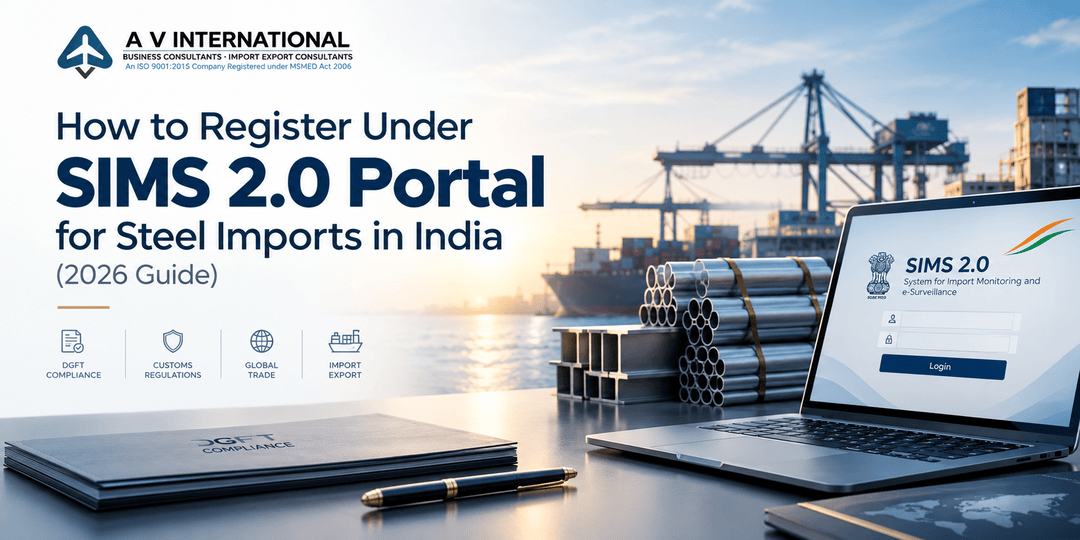
How to Register Under SIMS 2.0 Portal for Steel Imports in India (2026 Guide)

KEY TAKEAWAYS
  • SIMS 2.0 is the Ministry of Steel’s portal (sims.steel.gov.in) for advance registration of specified iron and steel imports.
  • The old SIMS 1.0 on the DGFT website was discontinued on 25 July 2024.
  • SIMS is a monitoring requirement, not an import licence, but customs clearance depends on it.
  • Correct HS code and shipment details decide how smoothly your registration goes through.
INTRODUCTION

If you import steel into India, SIMS is not a formality you can skip. Covered shipments need a valid registration number before arrival. Miss it, and your container may wait at the port while demurrage keeps running.

Since July 2024, registrations are filed on the new SIMS 2.0 portal. Many importers still follow the old DGFT-based habits and make avoidable mistakes. This guide explains the 2026 process in simple steps.

WHAT IS SIMS 2.0?

The Steel Import Monitoring System requires importers to submit advance information on specified iron and steel items under Chapters 72, 73 and 86 of the ITC (HS) Schedule-I. These items are “free subject to compulsory registration”.

As per DGFT Trade Notice No. 10/2024-25 dated 25 July 2024, SIMS 2.0 went live at sims.steel.gov.in and the earlier facility on the DGFT website stopped accepting new applications.

WHO NEEDS TO REGISTER?

Any importer bringing in notified steel products, including:

  • Manufacturers importing steel as raw material
  • Traders and stockists
  • EPC and project contractors
  • MSMEs and startups

Always check your 8-digit HS code against the current list of covered tariff lines.

DOCUMENTS AND DETAILS REQUIRED
  • Importer Exporter Code (IEC) details
  • Company PAN, GST and authorised signatory details
  • Valid mobile number and email ID
  • Proforma or commercial invoice with supplier name and country of origin
  • 8-digit HS code, steel quality, quantity and value
  • Port of import and expected arrival period
  • End-use details
STEP-BY-STEP SIMS 2.0 REGISTRATION PROCESS
  1. Open sims.steel.gov.in and create your account using your IEC details.
  2. Log in and verify your company profile.
  3. Start a new steel import registration.
  4. Enter product details: HS code, category, quality, quantity and value.
  5. Add shipment details: supplier, country of origin, port and expected arrival.
  6. Review every field carefully and submit.
  7. Download the registration and note the registration number and its validity date.

Filing windows and validity periods are fixed by the notification in force, so confirm them on the portal before each filing.

FEATURED SNIPPET ANSWER

To register under SIMS 2.0, log in at sims.steel.gov.in with your IEC details, start a new import registration, enter the correct HS code, quantity, value, supplier and port details, submit the application, and download the registration number. Quote this number in your Bill of Entry for customs clearance.

COMMON MISTAKES TO AVOID
  • Wrong HS code. Even one wrong digit can create a mismatch at the port.
  • Late filing. Register before the shipment reaches India, not after.
  • Expired registration. If cargo is delayed, check validity before arrival.
  • Mismatch with the Bill of Entry. Quantity, value and product details should align with what you registered.
  • Using the old DGFT route. SIMS 1.0 no longer accepts new applications.
PRACTICAL TIPS

Start the SIMS registration as soon as the purchase order is finalised. Get accurate grade and specification details from your supplier. Also check whether BIS or other quality-control rules apply to your steel product. Keep a copy of the registration in your import file.

FREQUENTLY ASKED QUESTIONS

Q1. What is SIMS 2.0?

It is the upgraded Steel Import Monitoring System at sims.steel.gov.in, where importers submit advance information on specified steel imports and receive a registration number.

Q2. Is SIMS registration an import licence?

No. Imports remain “free” but are subject to compulsory registration.

Q3. Can I still register on the DGFT website?

No. SIMS 1.0 was discontinued from 25 July 2024. Earlier applications can only be viewed or downloaded.

Q4. What happens if I import without registration?

Customs may not clear the shipment, which can lead to detention, demurrage and compliance trouble.

Q5. Where can I get help with portal issues?

Write to simshelpdesk@mstcindia.in or call 011-23213945 or 011-23214201.

CONCLUSION

SIMS 2.0 registration is simple when your data is accurate and your timing is right. Most delays come from wrong HS codes, late filing or mismatched details, not from the portal itself. Build SIMS into your purchase and shipping workflow and avoid paying demurrage on a stuck consignment.

CTA

Need help with SIMS 2.0 registration, DGFT compliance or customs documentation for steel imports? A V International has over 35 years of experience supporting importers and exporters across India. Contact us for end-to-end guidance, from HS code checking to registration filing and query handling.

WRITTEN BY

Akash Bhangare

Having more than 10 years of experience in EPR Compliance, Legal Metrology, DGFT Regulations, and Import Export Consulting Services in India.

Associated with A V International, a company with over 35 years of expertise in Environmental Compliance, EPR Registrations, Licensing, and Regulatory Approvals.

FeATURED ARTICLES

Related Posts